

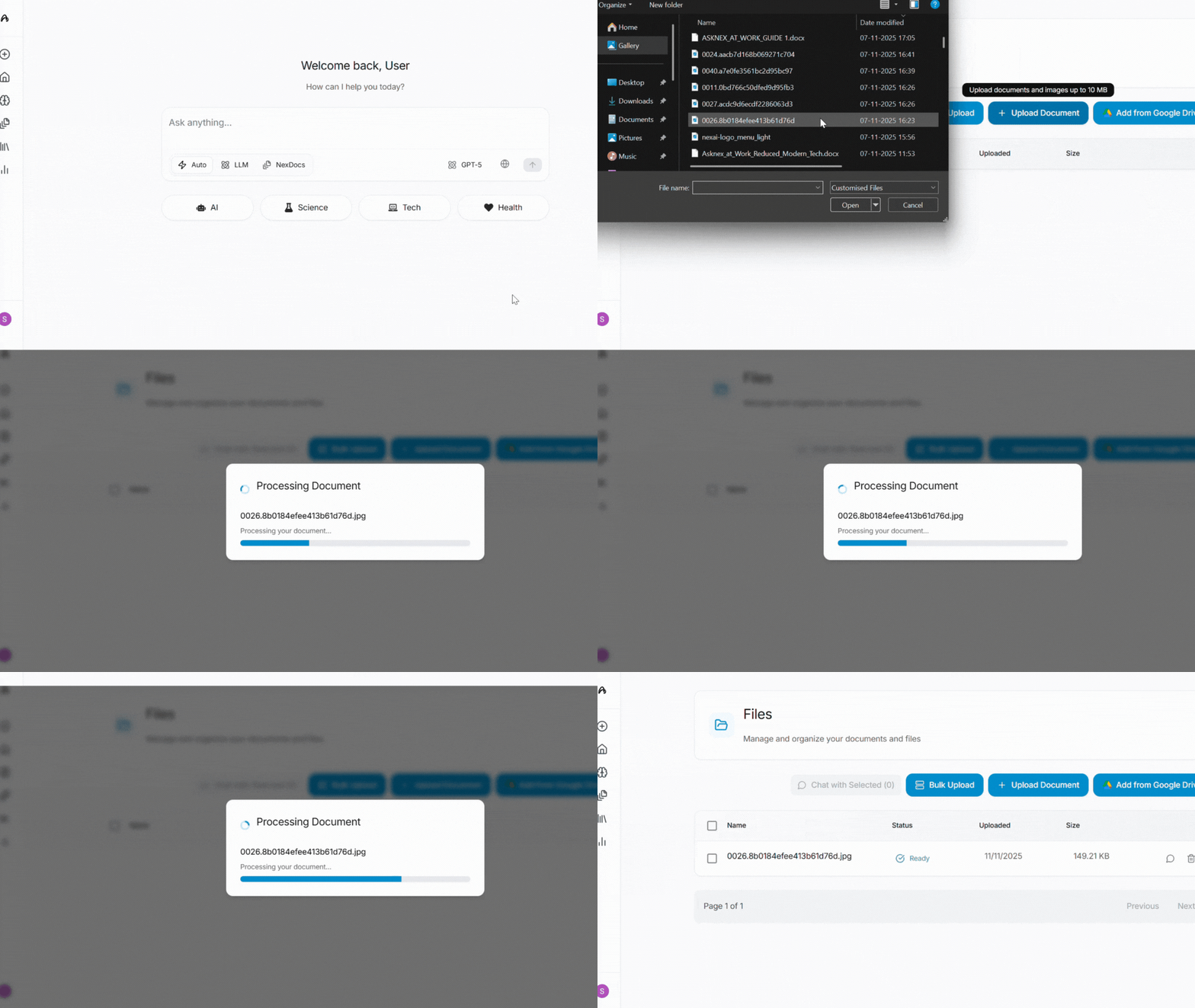
How to Upload Documents
Using the Files Section
- Click on “Files” in the sidebar
- Click the Upload button
- Wait for the document to process (usually takes a few seconds to a minute depending on file size)
- Once processed, the document appears in your files list
- Click on the document to open it and start interacting
Supported File Types
asknex supports a wide range of document formats:- PDF (.pdf) - Most common document format
- Microsoft Word (.docx, .doc) - Word documents
- Text Files (.txt) - Plain text documents
- Markdown (.md) - Markdown formatted documents
- Spreadsheets (.xlsx, .csv) - Excel and CSV files
- Images (for OCR and analysis)
File Size Limits
- Free Plan: Limited file size and number of uploads
- Pro Plan: Larger file sizes and unlimited uploads
- Enterprise: Custom limits based on your needs
Processing Time
Processing time depends on:- File size: Larger files take longer
- File type: PDFs with images may take longer than text files
- Content complexity: Documents with tables, charts, and images require more processing
- Current load: Processing may be faster during off-peak hours
- Small text files (< 1MB): 5-10 seconds
- Medium PDFs (1-10MB): 30 seconds - 2 minutes
- Large documents (> 10MB): 2-5 minutes
Next Steps
Query Documents
Learn how to ask questions and extract insights
NexDocs Search
Understand NexDocs search capabilities
Research Library
Organize your research and findings
Usage & Analytics
Check your upload limits and usage
Need help? Contact support at [email protected] or use the in-app feedback button.