

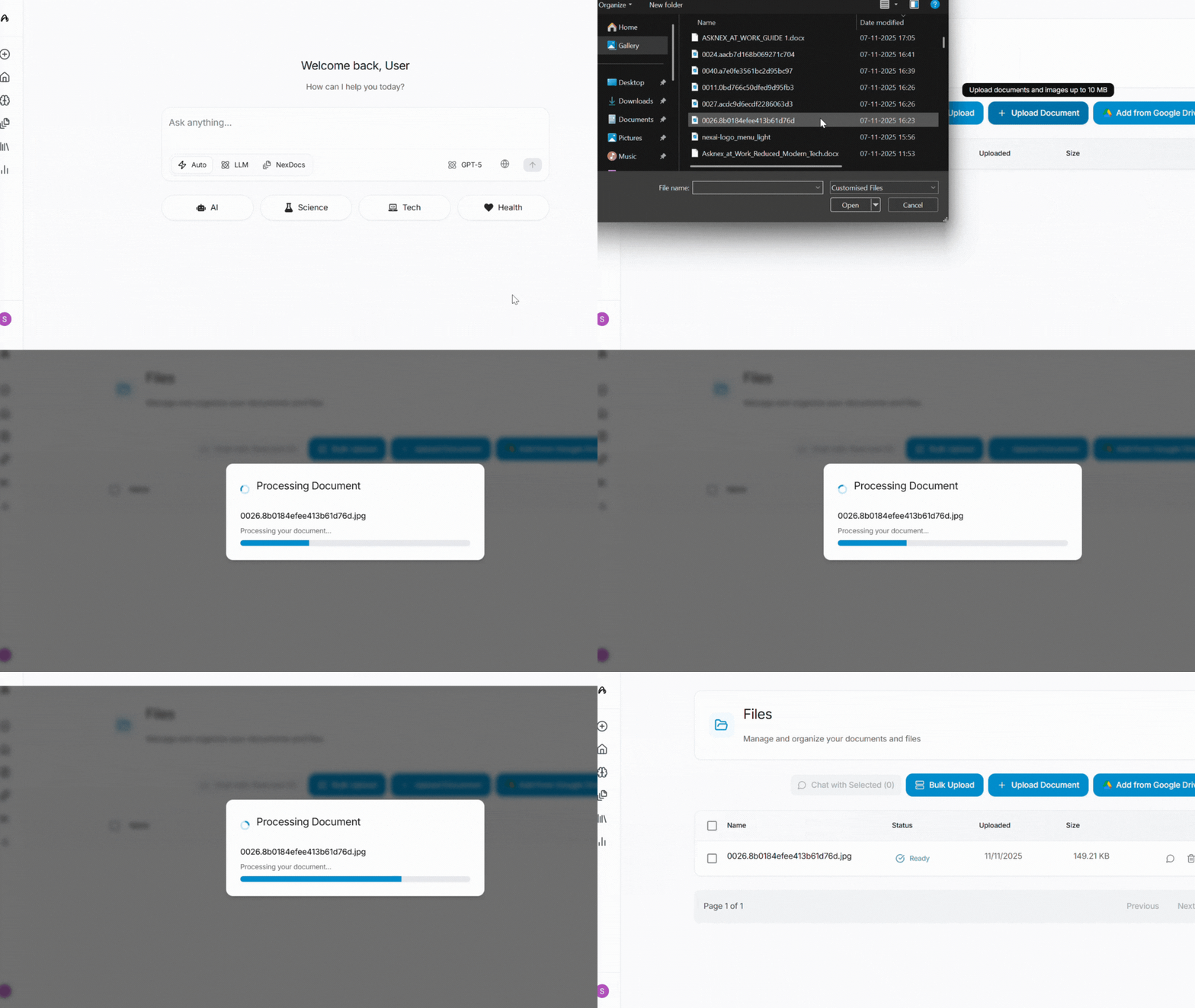
How to Upload Documents
From Library
- Open Library in the sidebar
- Go to files and upload (or drag and drop)
- Wait until processing finishes
- Switch Home to NexDocs and ask about the file
Supported File Types
asknex supports a wide range of document formats:- PDF (.pdf) - Most common document format
- Microsoft Word (.docx, .doc) - Word documents
- Text Files (.txt) - Plain text documents
- Markdown (.md) - Markdown formatted documents
- Spreadsheets (.xlsx, .csv) - Excel and CSV files
- Images (for OCR and analysis)
File size limits
Free exploration has a daily upload cap. Higher limits are waitlist — see Usage access. View usage →Processing Time
Processing time depends on:- File size: Larger files take longer
- File type: PDFs with images may take longer than text files
- Content complexity: Documents with tables, charts, and images require more processing
- Current load: Processing may be faster during off-peak hours
- Small text files (< 1MB): 5-10 seconds
- Medium PDFs (1-10MB): 30 seconds - 2 minutes
- Large documents (> 10MB): 2-5 minutes
Next Steps
Query Documents
Learn how to ask questions and extract insights
NexDocs Search
Understand NexDocs search capabilities
Research Library
Organize your research and findings
Usage & Analytics
Check your upload limits and usage
Need help? Contact support at [email protected] or use the in-app feedback button.